
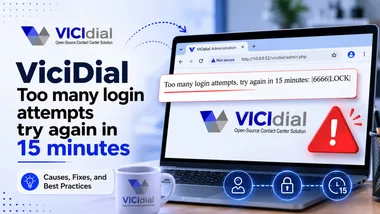
You type your user ID and password into ViciDial, hit submit, and instead of the agent screen you get a blunt red message: "Too many login attempts, try again in 15 minutes." Nothing you type after that works. The account is frozen, the clock is ticking, and if this is happening on a live campaign, every minute is money.
The good news: this is not a bug, a corrupted install, or a hacked server. It is ViciDial's built-in brute-force protection doing exactly what it was designed to do. Once you understand the mechanism behind it, unlocking the account takes seconds, and preventing it from happening again is straightforward. This guide walks through what triggers the lock, three ways to clear it immediately, how to tune the threshold, and how to stop the lockouts at the source.
What actually triggers the lockout
ViciDial counts failed logins per user. When a user ID accumulates 10 failed login attempts within a 15-minute window, ViciDial stops accepting logins for that ID and shows the "too many login attempts" message. The counter lives in the database, in the failed_login_count column of the vicidial_users table. Every bad password bumps it up; a successful login resets it to zero.
The 15-minute part is a rolling window, not a punishment timer. The system compares the time of the failed attempts against the current time minus 900 seconds. If no new failed attempts arrive, the old ones "age out" and the account frees itself after roughly 15 minutes. That is why simply waiting works, and it is also why the lock can feel random: a background script or a mistyped saved password can keep re-tripping it without anyone sitting at the keyboard.
The threshold and the window are not magic numbers buried in the binary. They are two plain variables in the ViciDial web code, which means you can both understand and, if you choose, change them (more on that later).
Why you are seeing it
Before you clear the lock, it helps to know which of these is hitting your server. In practice the cause is almost always one of these:
- Genuine typos. An agent fat-fingered the password a few times. Harmless, and the account unlocks on its own.
- A stale saved password. A browser, a softphone, or an auto-login bookmark is repeatedly submitting an old password in the background. This one is sneaky, it re-locks the account seconds after you clear it.
- An API or dialplan script using outdated credentials, hammering
agc/api.phpor the non-agent API on a loop. - Bots scanning the internet. If your
admin.phpandvicidial/welcome.phpare exposed on a public IP, automated brute-force scanners will find them and lock your admin ID within hours. This is the most common cause on any server that has been online for more than a day or two.
Keep that list in mind. Clearing the counter fixes the symptom; identifying which of the above applies is what stops it coming back.
Fix 1: Reset the counter from another admin account (no shell needed)
This is the cleanest fix if you have a second admin login that is not locked. The lock is per-user, so an unlocked admin can free anyone.
- Log in to the ViciDial admin panel with a working admin account.
- Go to Admin → Users and open the locked user ID.
- Change nothing, or simply re-enter the correct password, and click Submit.
Saving the user record resets failed_login_count back to zero, and the ID can log in again immediately. You do not have to modify a single field, the act of submitting the form is what clears the counter.
Fix 2: Clear the counter directly in MySQL
If every admin account is locked, or you would rather not click through the UI, reset the counter straight in the database. SSH into the ViciDial server and run:
mysql -e "USE asterisk; UPDATE vicidial_users SET failed_login_count='0' WHERE user='6666';"Replace 6666 with the user ID that is locked. On a stock ViciBox install the database is named asterisk, and the default read/write MySQL account works like this:
mysql -ucron -p1234
USE asterisk;
UPDATE vicidial_users SET failed_login_count='0' WHERE user='6666';
If you want to unlock every user at once, for example after a scanner has tripped several IDs, drop the WHERE clause:
UPDATE vicidial_users SET failed_login_count='0';The change takes effect instantly, there is no service to restart. If the account locks again within seconds of clearing it, stop and look for a stale saved password or a rogue script (see the "Why you are seeing it" section) before you touch anything else.
Fix 3: Just wait it out
It sounds too simple, but if you are not in a hurry it is the safest option. Stop all login attempts for the locked ID, close any browser tab or softphone that might be auto-submitting, and leave it alone for 15 minutes. Because the window is rolling, the counter clears itself and the account comes back with no database surgery required. The one condition: nothing can attempt that login during the wait, or the timer keeps resetting.
Raising the lockout threshold (for developers and test servers)
The 10-attempt limit is defined in ViciDial's functions.php. On a busy training server or a lab box where agents fumble passwords constantly, you may want to raise it. Edit the file that matches your install:
- ViciBox / SUSE:
/srv/www/htdocs/vicidial/functions.php - Scratch / manual install:
/var/www/html/vicidial/functions.php
Look for these two variables:
$LOCK_trigger_attempts = 10;
$LOCK_over = ($STARTtime - 900);
$LOCK_trigger_attempts is the number of failures allowed; $LOCK_over is the window in seconds (900 = 15 minutes). Raise the first to allow more tries, or shorten the second to make the lock forgive faster. There is also a matching block in the agent-side code at agc/functions.php if you need to loosen the agent login screen specifically.
A word of caution: this protection exists for a reason. Every attempt you add makes real brute-force attacks a little easier. Raise the limit on internal or isolated servers if you must, but never gut this on a box that is reachable from the public internet. A far better answer than weakening the lock is to make sure attackers never reach the login page at all, which is the next section.
Stopping it for good: lock down access, not the login
If your lockouts are caused by internet bots, and on a public server they almost always are, the permanent fix is to keep unauthorized traffic away from ViciDial's login pages entirely. In order of impact:
1. Turn on the Allow IP List
ViciDial can refuse any request that does not come from an approved IP. Go to Admin → System Settings and set Allow IP Lists to 1. Then under Admin → IP Lists, add your office, VPN, and server IPs to the ViciWhite allow list. Anything not on the list gets bounced before it can even attempt a password, so scanners never touch failed_login_count.
2. Enforce IP whitelists per user group
For finer control, open Admin → User Groups → Modify and enable the Admin, Agent, and API IP whitelist options. This lets you allow agents from one range while restricting admin and API access to a much tighter set of trusted IPs.
3. Change the default URLs
Scanners look for the standard paths, /vicidial/admin.php and /agc/vicidial.php. Renaming or aliasing those directories to something non-obvious (for example /mycc_secure/vicidial/admin.php) makes your server effectively invisible to automated tools that only probe the defaults.
4. Front it with a firewall and a real hostname
Put a firewall in front of ports 80/443 and allow only known IPs, this is the single most effective control. Access the panel through a fully qualified domain name rather than a bare public IP, and never leave the login pages open to 0.0.0.0/0. On ViciBox, the built-in dynamic firewall portal (listening on ports 446 and 81) is purpose-built for this: users authenticate first, and only then is their IP allowed through to ViciDial.
Quick reference
- Cause: 10 failed logins for one user ID inside 15 minutes.
- Where it lives:
failed_login_countin thevicidial_userstable (databaseasterisk). - Fastest unlock: open the user in Admin → Users and click Submit.
- Shell unlock:
UPDATE vicidial_users SET failed_login_count='0' WHERE user='XXXX'; - Zero-touch unlock: stop all attempts and wait 15 minutes.
- Threshold:
$LOCK_trigger_attemptsand$LOCK_overinfunctions.php. - Permanent fix: Allow IP Lists + ViciWhite, per-group whitelists, changed URLs, and a firewall.
Final word
The "too many login attempts" message is ViciDial protecting you, not fighting you. When you are locked out, reset failed_login_count from another admin or straight in MySQL and you are back in seconds. But if the lock keeps returning, treat it as a signal rather than an annoyance: something, a stale saved password, a broken script, or an internet scanner, is knocking on your login page over and over. Fix that source, put an IP allow list in front of your server, and this error becomes a thing of the past instead of a daily interruption.